Block the native functions of the printer
In this article, you will learn how to lock printer functions so that users only have access after authentication, using the NDD Print Client Epson.

Before you start
This configuration must be carried out before adding the device to NDD Print MF Epson.
If the printer has been added to use the con Controlled copy feature, blocking the Copies application is mandatory.
Block native functions
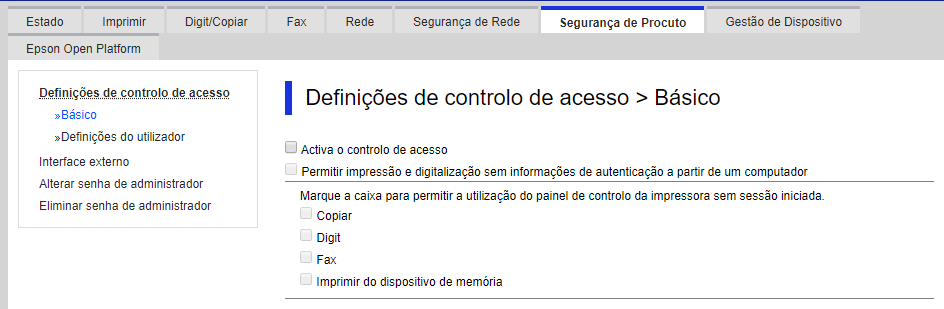
Access Product Security > Basic
Check the options:
Enable access control
Allow printing and scanning without authentication information from a computer
Select the options you want to block:
Copy
Scanning
Fax
Print from memory device