Accounting users from the document title
The printings perform in most of the ERP software are sent to the printers with a default user (without differentiating between users), however, these software offers an option to send the name of the user together with the document title. To assist in the accounting of these documents, you can perform a configuration in the Windows registry that allows the n-MF to identify the user for accounting by using the document title.
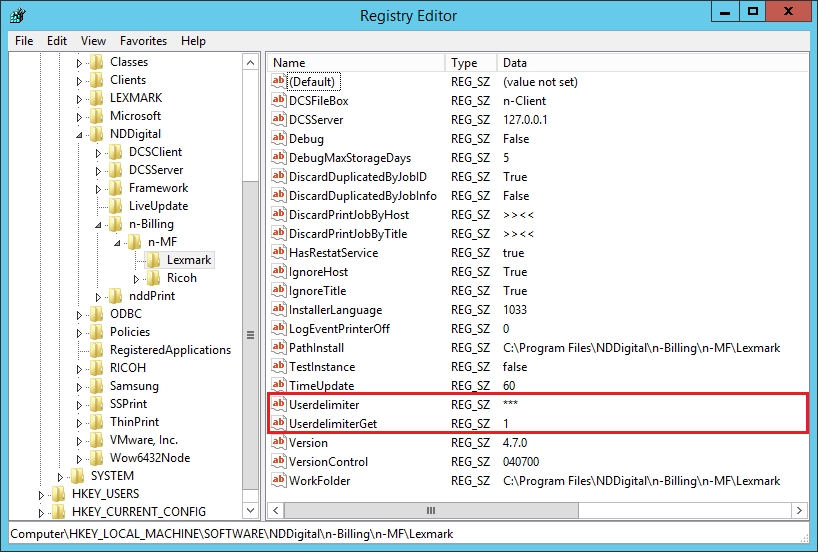
To use this feature, open the Windows registry and follow the path HKEY_LOCAL_MACHINE\SOFTWARE\NDDigital\n-Billing\n-MF\Lexmark. Inside this path you must create the following string values:
Userdelimiter: In this string value, configure the character that identifies the delimitation between the user name and the document title;
Userdelimiterget: Configure if the user name is on the left or right side of the delimiter. Value 1 for Left and Value 2 for Right.
💡 EXAMPLE Document Title: UserTest***Document 1 Userdelimiter:*** UserdelimiterGet: 1 |
In this case, the user accounted will be UserTest, as the Value is on the left side of the delimiter (***).