
Exceptions
Through this interface you can configure a list of document titles or users that will not be accounted. You can also configure to account only a set of documents or users and ignore the rest of them.
To perform this settings, in the administration interface, access Tools > Exceptions.
Document Title
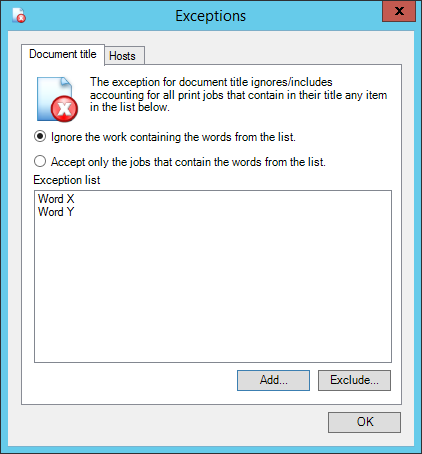
In the tab Document Title you can insert words that identify the title of the document.
If the option to ignore jobs that contains the words from the list is selected, all the documents will be normally accounted, except the ones that have, in their titles, any word from the list.
And if the option selected is the one to Accept only the jobs that contains the words from the list, all documents will be ignored from the system, except the ones that have, in their titles, any word from the list.
Hosts
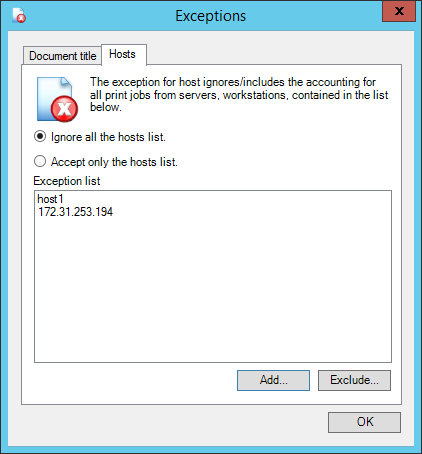
When using the option to Ignore all host from the list, all the jobs performed will be accounted, except the ones generated from the computers registered in the list.
When using the option to Accept only the host from the list, all the jobs performed will be ignored, except the ones generated from the computers registered in the list.

IMPORTANT
It's recommended to register the name and the IP address of the Hosts, depending on the environment, the host might not be identified when using only the name.
These options are valid only from print jobs. Jobs from copy and fax are not part of these rules.