Printer Properties
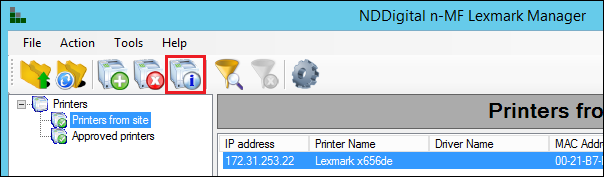
To view the properties of a particular printer, select the desired device and access the information icon as shown below:
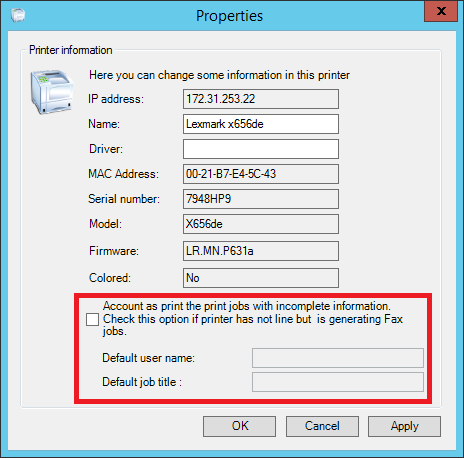
In this interface it's possible to configure the accounting of jobs with incomplete information. By default, these jobs are accounted as fax, but in some cases, by containing incomplete information, the printings from ERP softwares may also be accounted as fax.
To work around this peculiarity, the option to account this type of job as print was created. By this reason, set this option only in printers that does not have the fax function and receives printings from ERP softwares.
Its necessary to define a default user and a default name for the documents for these accounting, as well.