
Printers Automatic Registration
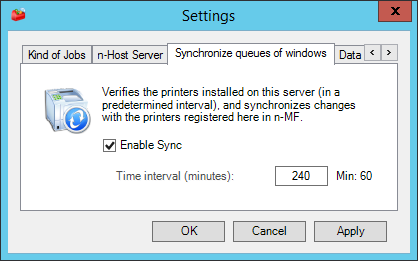
To aid the administrator, it's possible to configure the automatic printer registration. In Settings, access the tab Synchronize Windows Queues, where this feature can be enabled.
By activating this option, in which configured time interval, the n-MF will search for all network printers installed in the local server and will verify if they are Lexmark and are registered for monitoring. If they are Lexmark and are not registered, they will be added for monitoring.

IMPORTANT
After configuring the device, it's necessary to restart the service of the n-MF. To do so, close the administration interface and confirm the message asking to restart the service.