
Main menu
After performing the authentication, the user will be able to manage his documents through the actions described below.
Finality Selection
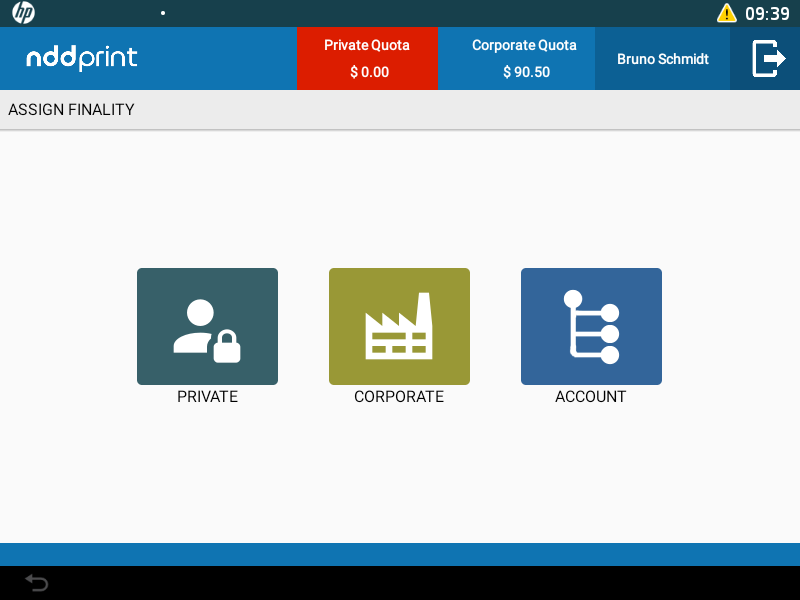
Finality Selection
If used, the fatalities will be listed to the user so that the quota discount can be defined. This selection is unique for each document and can be divided into three types:
Private;
Corporate;
Custom Account: in the account selection interface, use the search through the search filter (Account name or ID via text field) to find the desired account. Regardless of which account to select, the quota discount will always be made for a Corporate quota.
Information bar
The information bar shows the authenticated user information:
Disk space quota icon: shows the amount available to save documents;
Quota balance for Private finality (if there is purpose selection);
Quota balance for Corporate finality;
Authenticated User: click to log off user.
Add Quotas
To insert quotas, enter the Pre-Paid Card code provided to you by the administrator. After validating the code, the new credit will be added to your current balance.

The icon will be active in the interface only when the currency quota is used.
Server Selection
This feature allows you to print, save or delete documents that have been sent to other servers. Select one of the available options. When selecting a remote server, the NDD Print Client will use the settings of the selected NDD Print Releaser server, the quotas per space and what is active, such as public and/or shared documents and permissions.
The option to change the view to another server is used when the trust relationship between sites option on NDD Print Releaser is configured.
If you have only one server, the Server Selection option will not be available.
Environmental impact
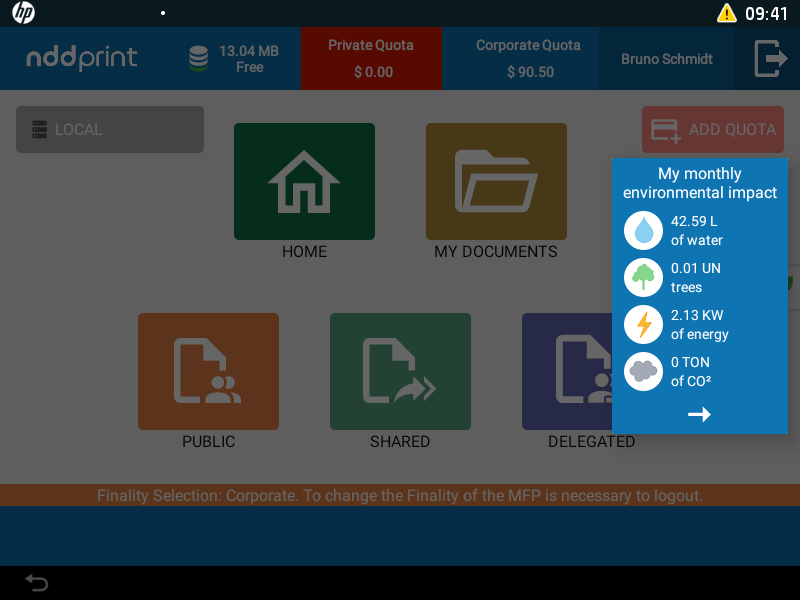
Environmental impact
This feature allows the authenticated user to view the monthly environmental impact data generated by their impressions.