
Enable HTTPS communication
In order to raise security standards and ensure compliance with industry best practices, the NDD Print MF Sharp allows communication to be configured via HTTPS. This configuration is performed by implementing two keys in the Windows registry, ensuring more secure and reliable communication.

This function is currently only available for the BP70M31 family.
Instructions
Click on Start
Type regedit
Go to HKEY_LOCAL_MACHINE\SOFTWARE\NDDigital\nddPrint\MF\Sharp
In the Sharp folder, right-click and select New > String Value
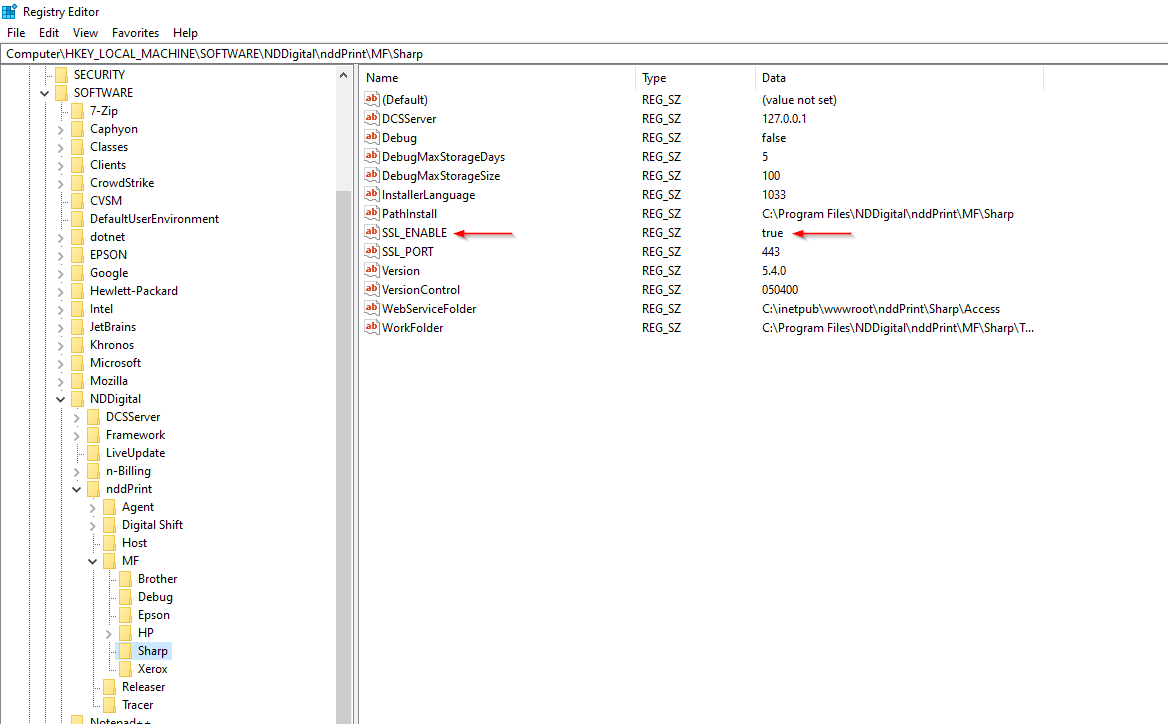
Enter SSL_enable as the name, enter True to enable, and click OK
EXAMPLE
 |
Click on Windows Start
Type regedit
Go to HKEY_LOCAL_MACHINE\SOFTWARE\NDDigital\nddPrint\MF\Sharp
In the Sharp folder, right-click and select New > String Value
Enter SSL_Port as the name, enter the port to be used, and click OK. Default port: 443
💡 EXAMPLE 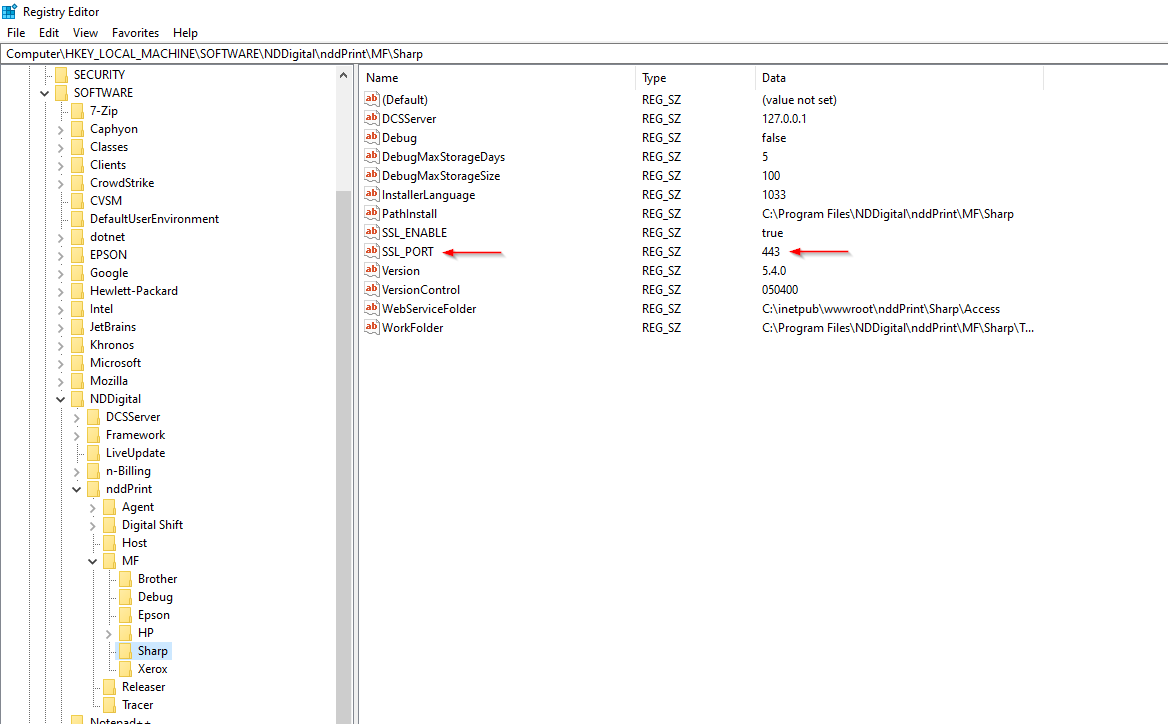 |

A digital certificate must be configured in IIS (Internet Information Services). Learn more Saiba mais