
Importing Printers
In addition to Add Printers, it's also possible to import them through a .txt or .csv (Comma Separated Value) file. This process is recommended to environments with a large number of devices.
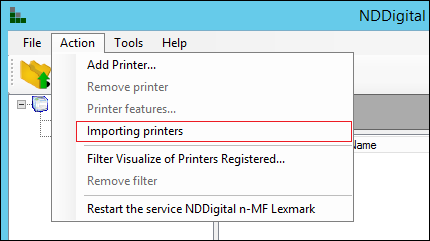
For that, access the n-MF Lexmark administration interface, Action and then select Importing Printers.
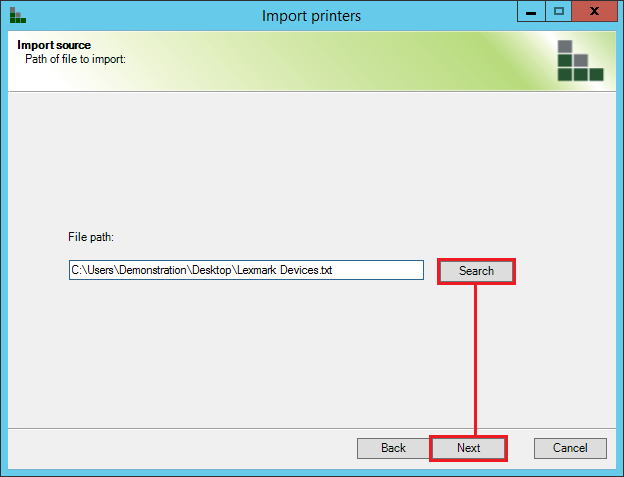
In the initial screen of the wizard, select Next to proceed with the import. Following, select the file which contains the data of the printers to be imported.
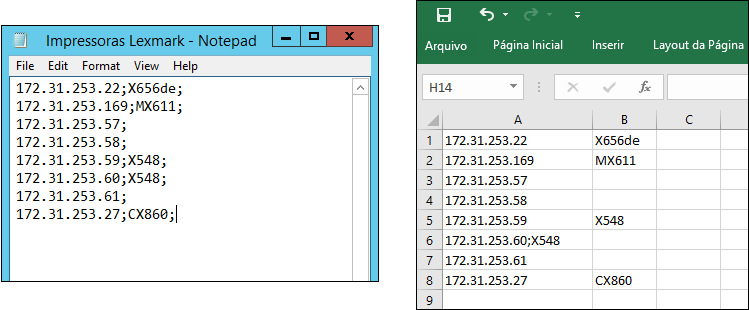
The import file, .txt or .csv, must contain the following structure: IPAddress;Name;Driver, being the device's IP Address the only obligatory item.
After selecting the file, select Next to start the import process.
After finished, select Next to proceed to the wizard's finishing screen.
If there where flaws in the importation of some printers, as flaws in the network, printer off during the import, printer already registered in the n-MF Lexmark, or the printer's data is wrong in the import file, the wizard will generate a new .csv file containing which items weren't imported, so the administrator ca review the data inserted in the import file or the environment settings and fix them.
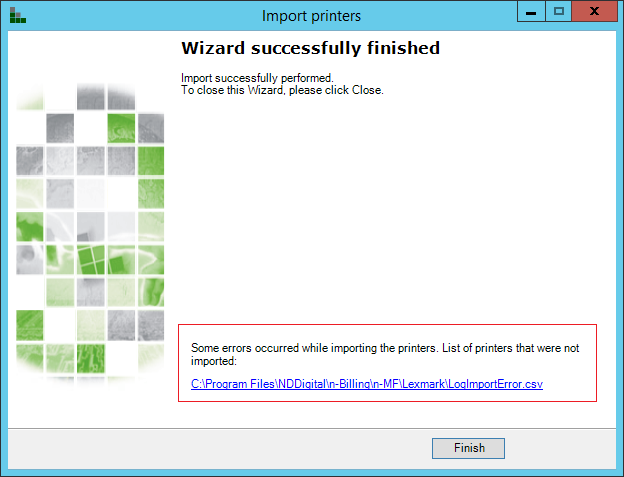
Select Finish to close the wizard.